Within the Parade section of the Chainlink Marketing Platform, there is a place where Lieutenants can view and manage their float assignments for the parade. From here, Lieutenants will be able to assign their riders to specific float positions. To access your Floats, navigate to Krewe > Parade > Float Details. Float Overview Most Lieutenants […]
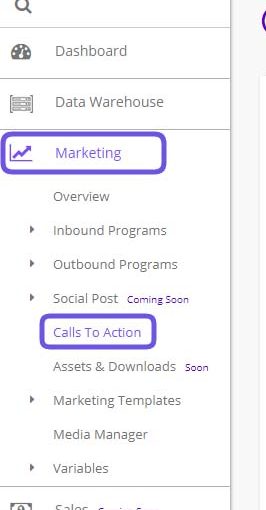
In this guide, you will learn about Calls-to-Action (CTAs) and how you can use them to optimize your website, blog, and email. What is a Call-to-Action? A call-to-action (CTA) is a button or link that you use in your marketing that drives prospective customers to become leads by filling out a form on a […]
The Account Profile Settings page is where you can view and update all of your company information. The logo uploaded on this page will be sued as the standard logo in the Chainlink Email Builder. The address added here will be used for your default SPAM settings in your Outbound Email Programs, so make sure […]
As a Parade Admin or Lieutenant, you will be able to see a list of all of the Parades’ offered products. This is a listing page of all of the available products being sold in the Krewe’s online store, as well as the products that are no longer in stock. As the Parade Admin, from […]
All Mardi Gras Krewes have galas, balls, after parties, and other events throughout the year that can become difficult to keep track of and mange. Chainlink makes it easy to manage all aspects of your Krewe’s events in one place. Member Events is where you will be able to manage all of your Krewe’s year-round […]
The Chainlink Marketing Platform makes it easy to access, edit, or add new credit card information if you are using any of the Billing Plans other than the Forever Free Plan. This page is simply a listing page for any credit cards you have added to the platform. You can easily add a new card […]
As a Lieutenant, you will be able to view all of the parade members that have been assigned to you within Chainlink’s Parade module. On this page, you will find a list of all your parade members with some of their basic information. You will also be able to view their orders and float positions […]
The Integrations page is where the Main Account user will have access to your account’s Integrations where you can enable/disable and edit the information for any of the email checker integrations. The three standard integrations that come with Chainlink’s Marketing Platform are: Bulk Email Checker, Email List Verify, and Kickbox. All three of these integrations […]
Account Usage is where you can see the percentage of features you’ve used, specific to your Chainlink Marketing Platform Billing Plan. For example, if you’ve created an account with a Forever Free Plan, you will be able to have up to 500 Targets, send up to 5,000 emails per month, have up to 3 account […]
Within the settings of the Chainlink Marketing Platform, you will be able to view your Purchase List, showing all of the price/billing plans your account has purchased. To access your Purchase List, navigate to Settings > Billing > Purchase List. This is what the Purchase List page looks like: The Purchase List page is […]