In the Chainlink Marketing Platform, you can temporarily remove Targets from any Segment they are a part of at any time with User Suppression.
Suppression can be useful if you have a large Segment, and want to temporarily un-enroll specific Targets to prevent them from receiving additional marketing efforts sent to that segment. This will allow you to easily manipulate your large Segments based on what is suppressed for a Target, without having to completely remove Targets from a Segment.
To access User Suppression, navigate to Data Warehouse > Suppression.
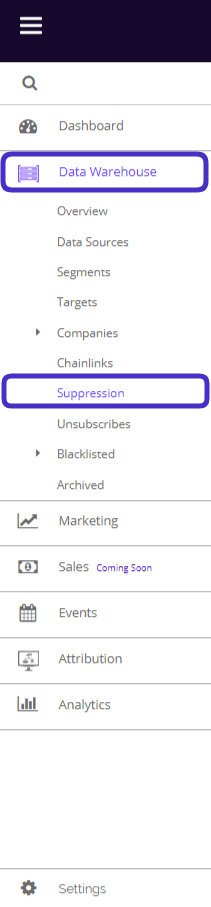
This is what the User Suppression dashboard looks like:
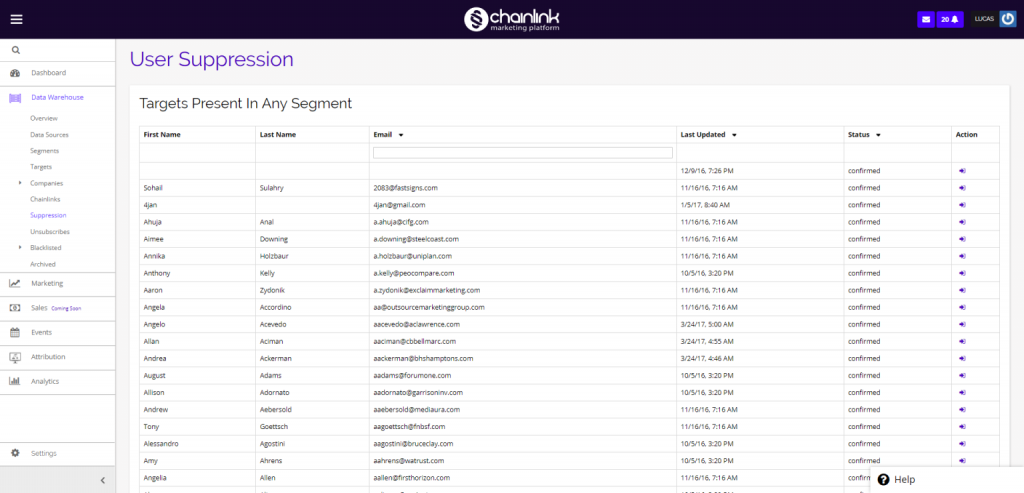
This is a list of all of your Targets that are present in any Segment in your platform account. You can use the search bar under the Email column to find specific Targets.
1. Suppress Targets
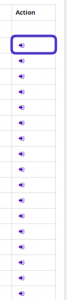
- From the dashboard you can select any Target to add or remove from certain segments. To do so, click on the purple icon in the Action column.
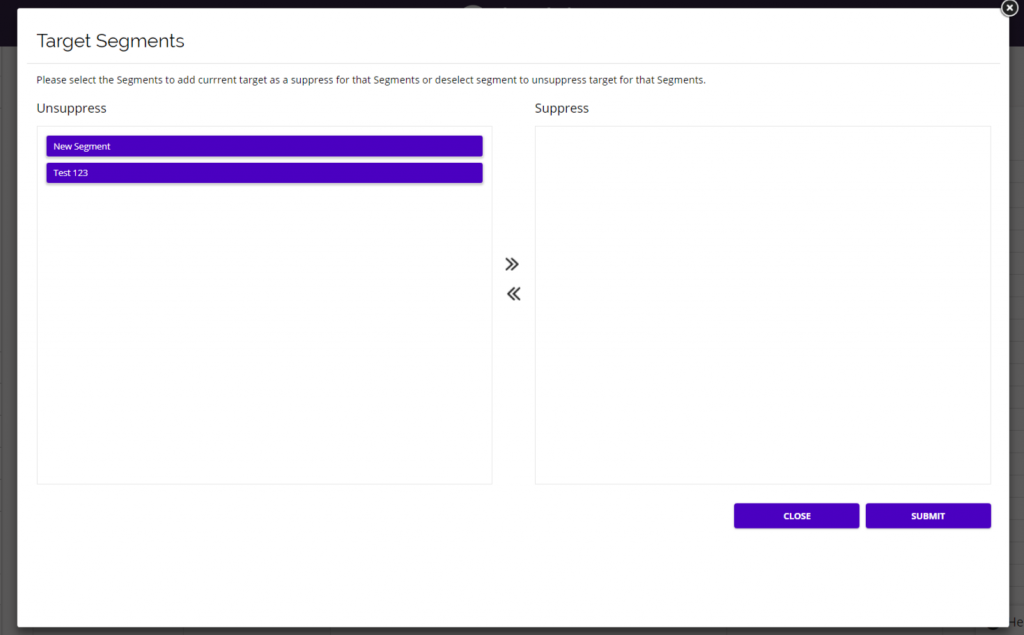
- Next, a pop-up will appear where you can see all of the Segments that the Target is a part of.
- You can suppress or un-suppress your selected Target from any Segment they are present in.
- Simply drag the Segment you wish to suppress/unsuppress into the desired box. Be sure to click the Submit button when finished to save any changes you’ve made.
- This can be useful, for example, if you want to stop a Target from receiving additional promotional emails sent out to a Segment because they have already completed a purchase during the promotion, but you don’t want to completely remove them from the Segment because you might send out future promotions to that same Segment and want to include the previously suppressed targets.
- You can suppress Targets from the segment while the promotion is still going on and un-suppress the targets from the segment if you want them to receive future outbound efforts.