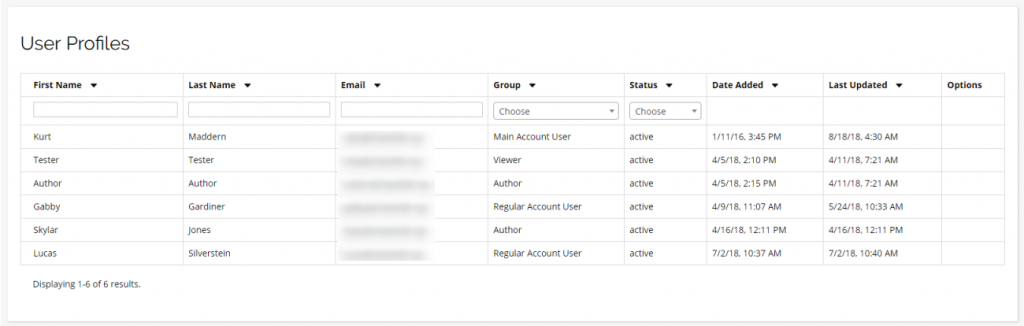
Manage your own User Profile, and those of your team. Based on your account billing plan, you may be limited in the number of Account Users you can add.
Main Account User
Each account has only one Main Account User, which is the highest level of access in the Chainlink Marketing Platform, including Account Settings, Billing, and the ability to add other users.
The Email address cannot be updated for the Main Account User for security reasons, so please submit a ticket to support if this email needs updating.
Regular Account User
Regular Account Users have access to all essential functions of the Chainlink Marketing Platform account (creating and sending programs, viewing target data, creating segments, launching inbound marketing programs, and viewing reports).
However, a Regular Account Users cannot access account settings, change billing, or create other users.
Author User
An Author User can create marketing campaigns and programs and edit templates, but cannot send them.
You might give this access to an in-house designer or writer, or even to an outside design agency.
Viewer User
A Viewer User only has the ability to view campaign reports. Grant this to someone in the company who needs to see campaign results, but doesn’t need to be creating campaigns or fiddling with lists.
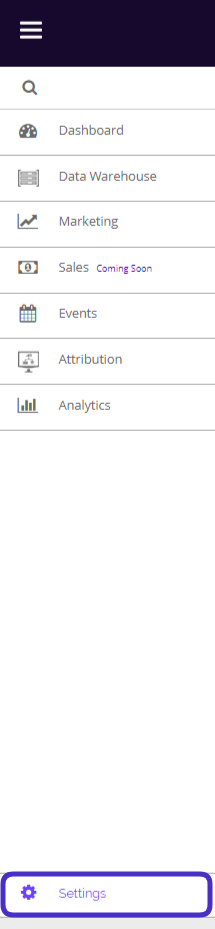
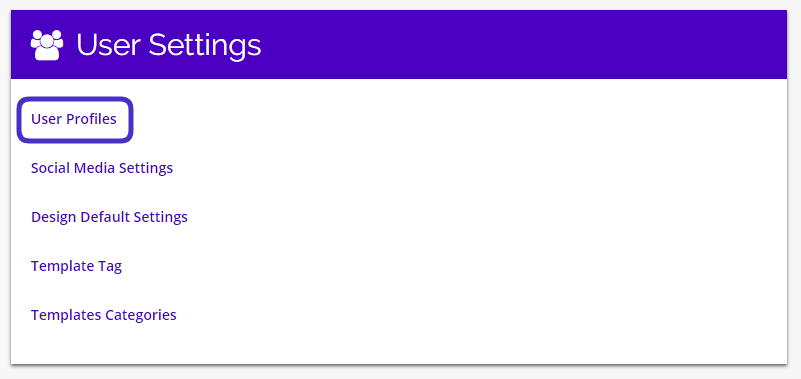
To access your User Profile Settings, navigate to Settings > User Settings > User Profiles.
This is what the User Profiles Settings page looks like:
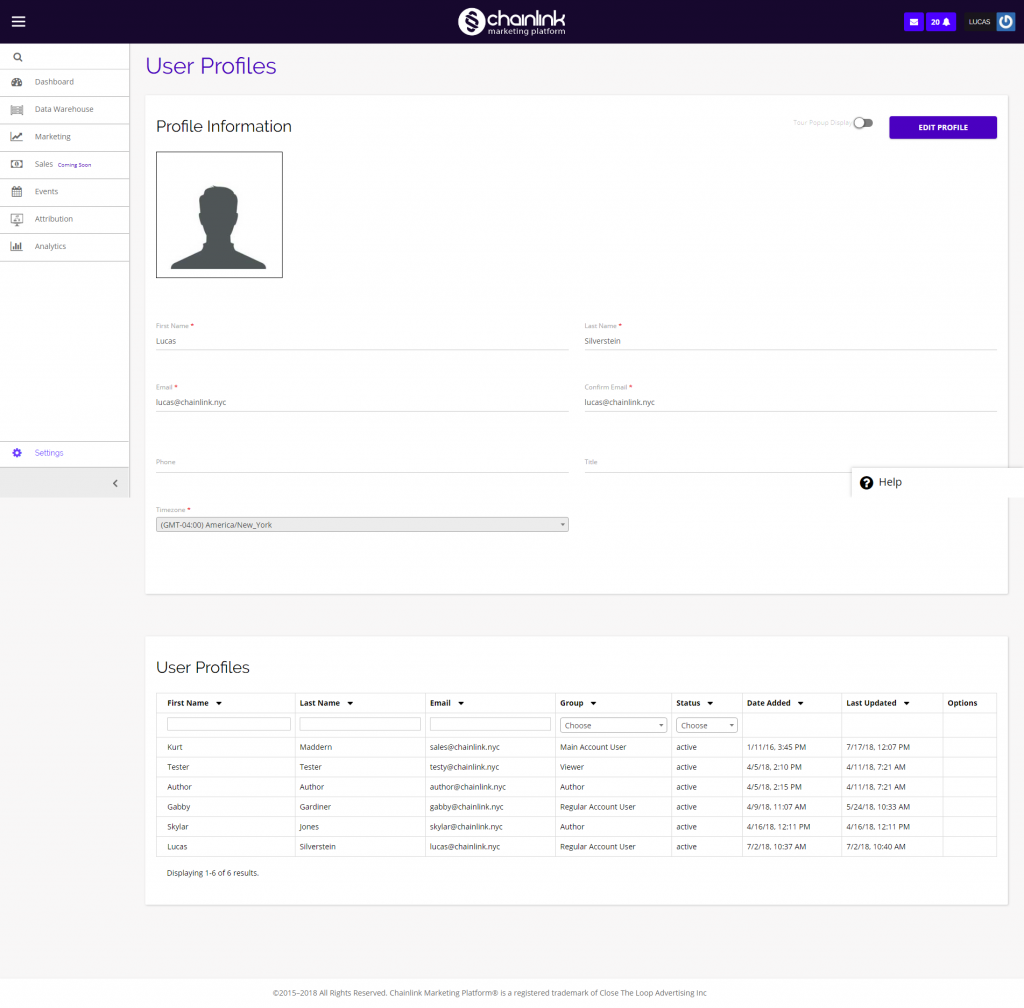
From the User Profile Settings page, you can view and edit your basic account information, as well as view all of the user profiles associated with your account. You can also enable the pop-up tour that appears when you log into your platform account for the first time by clicking the Tour Popup Display switch next to the Edit Profile button.
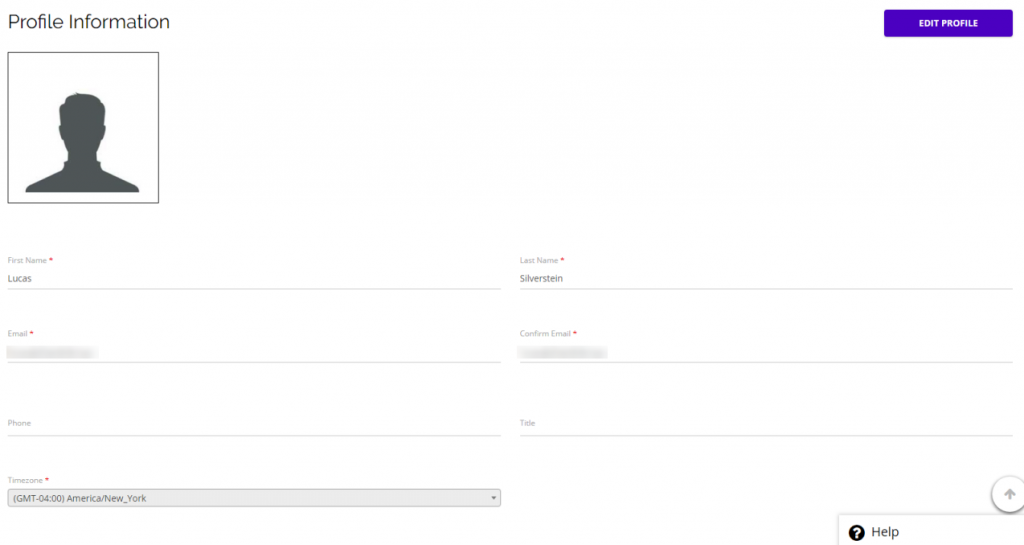
1. Profile Information
- Profile Information is where an account user can view and edit their profile picture, name, email, phone number, title, and timezone.
- To edit any of the information on your profile, you must first click the Edit Profile button.
- Be sure to click Save if you make any changes to your profile information.
2. User Profiles
- Below your profile information you will see all of the user profiles associated with your Chainlink Marketing Platform Account.
- Here you will be able to see the first and last names, emails, groups, statuses, dates added, and dates last updated for each profile on your account.
- If you are the main account user, you will also be able to add new users to your account from here.