A Sub-Domain is a domain that is part of your larger, primary domain. You can use Sub-Domains to create unique domain URLs, making it easy for Targets to find and navigate specific sub-pages on your website.
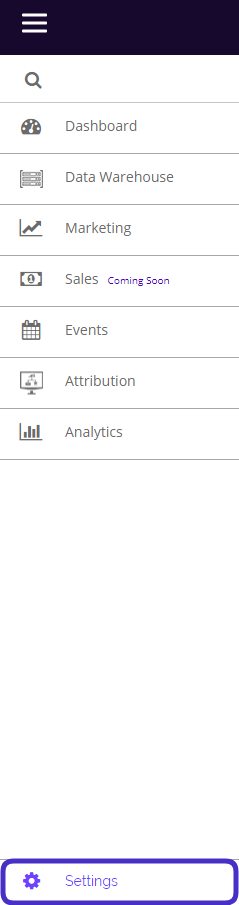
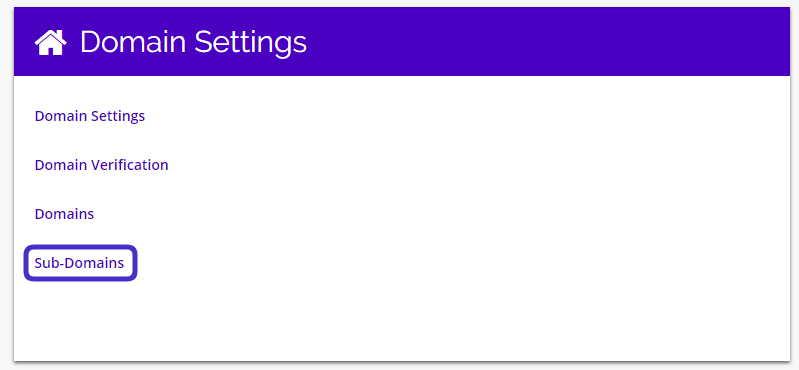
To access Sub-Domains, navigate to Settings > Domain Settings > Sub-Domains
This is what the Sub-Domains dashboard looks like:
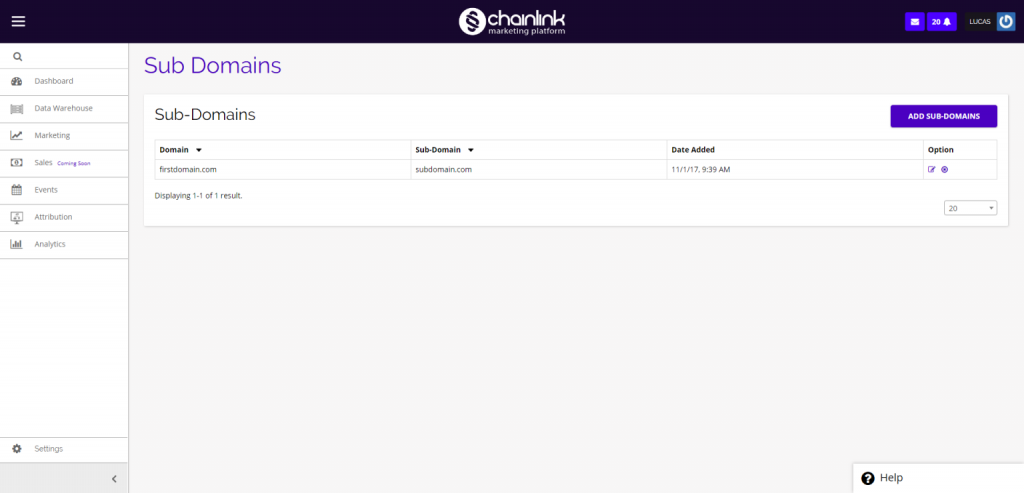
From here you have the ability to view and edit all of your Sub-Domains, delete any Sub-Domains, see what primary domain they are a part of, and create new Sub-Domains.
To view/edit an existing Sub-Domain, click the edit icon under the options column on the far right.
To delete an existing Sub-Domain, click on the delete icon under the options column.
Create New Sub-Domain
- To create a new Sub-Domain, simply click the Add Sub-Domains button in the top right corner of the page.
- You will be brought to a new page page where you can select which primary domain you want the sub-domain to be a part of and customize the sub-domain name.
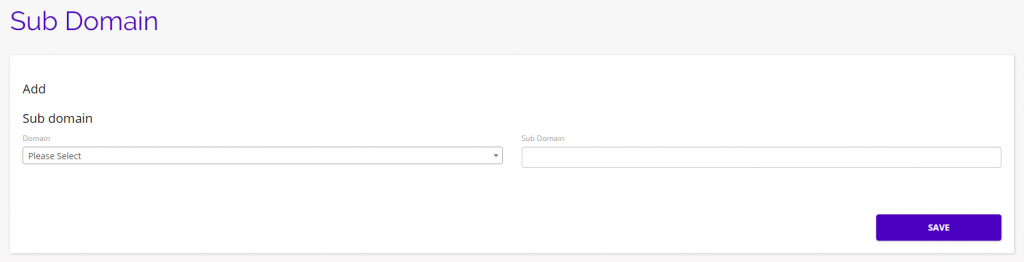
- Be sure to click Save when finished to add your new Sub-Domain to the Chainlink Marketing Platform.