Creating effective promotions is an important part of any successful marketing campaign. Promotion tracking will help you to understand which content, marketers and platforms are driving the most traffic and generating new Targets without having to create custom tracking links or embed code.
In the Chainlink Marketing Platform, you can easily create new promotions in the Promotion Costs/Tracking section, as well as view the results and effectiveness of all of your promotions.
To access Promotions, navigate to Attribution > Promotion Costs.
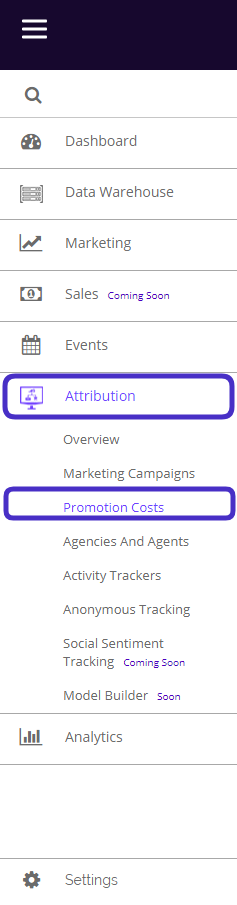
This is what the Promotions page looks like:
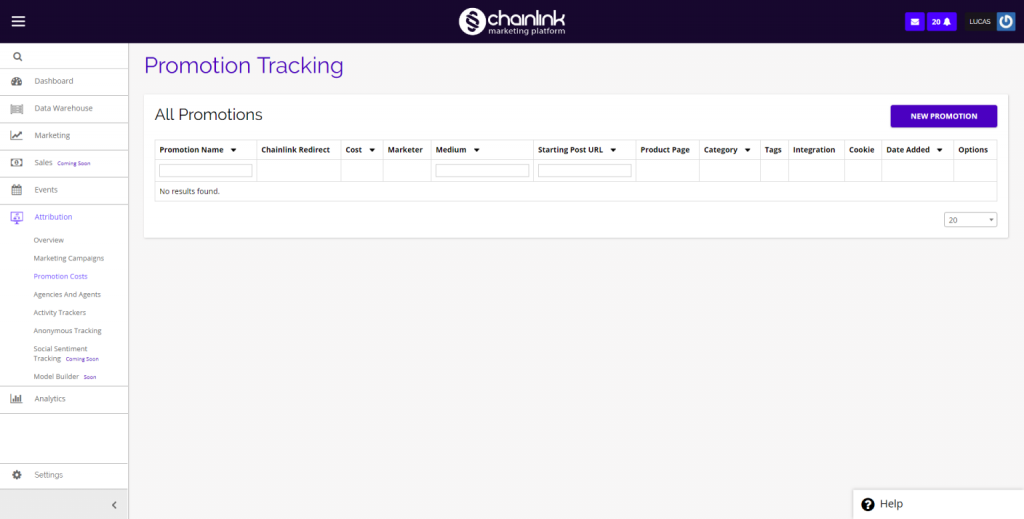
From the dashboard, you can view any promotions you have created in the Chainlink Marketing Platform, as well as create new promotions.
1. Create New Promotions
- To create a new promotion, click the New Promotion button in the top right corner of the dashboard and you will be brought a new page where you can enter all of the promotion details.
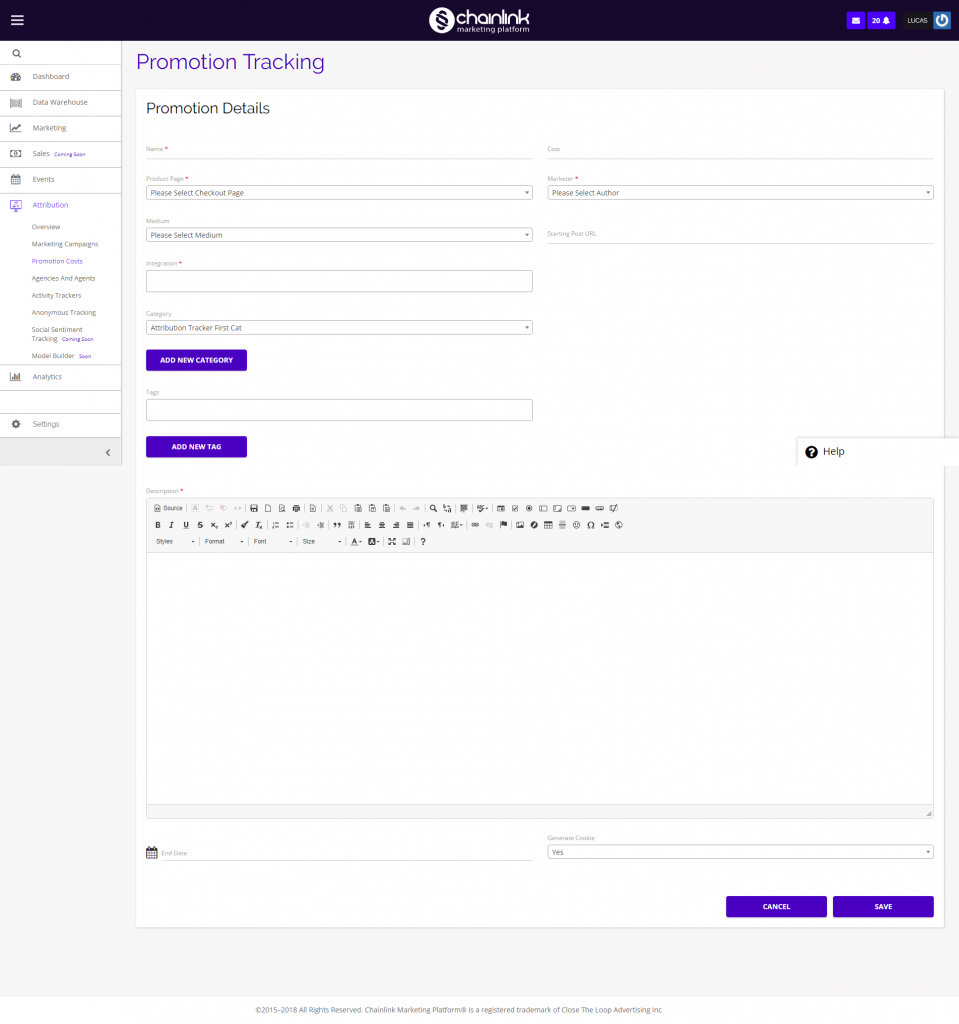
- From here you can add all of your promotion information; name, cost, product page, marketer, medium, starting post URL, integration, categories, tags, description, end date, and cookie generation.
- Be sure to click Save in the bottom right corner to ensure your new promotion is added to Chainlink’s Marketing Platform.
- To view the performance of your promotions, navigate to Attribution > Marketing Campaigns and click the Performance Analysis button in the top right.
- You will then be able to filter by any promotions you want to analyze.