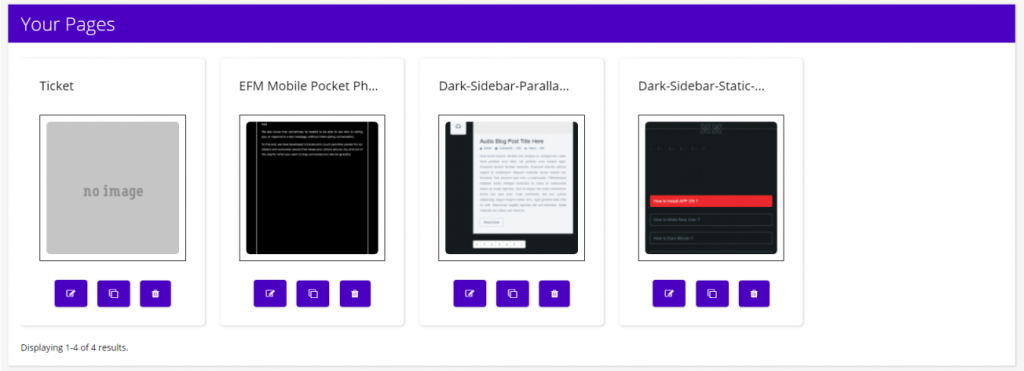
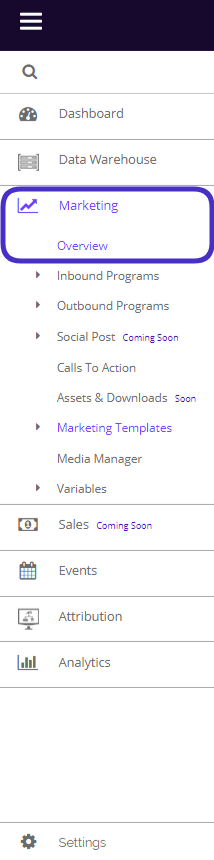
The Marketing Overview in Chainlink’s Marketing Platform gives you a quick look at all of your inbound and outbound programs. From the Marketing Overview page, you can see a preview of your programs and navigate to specific marketing programs to take further actions.
To access your Marketing Overview, navigate to Marketing > Overview.
This is what the Marketing Overview dashboard looks like:
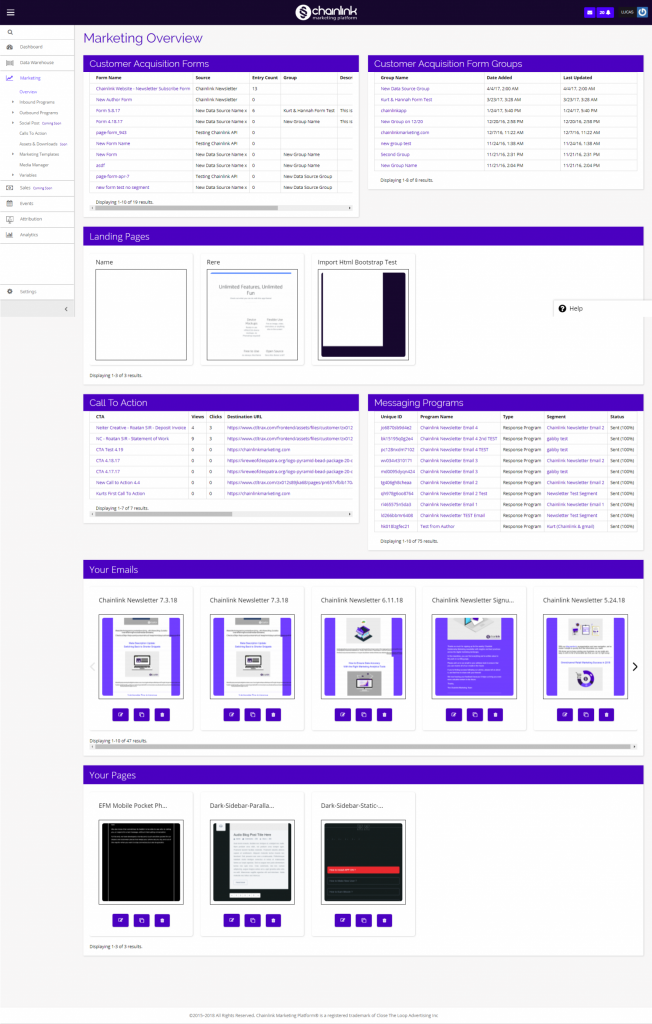
From the Marketing Overview dashboard, you can see a number of your Marketing Programs and efforts. You can quickly redirect to a specific Marketing Program by clicking on one of the many marketing tools from the dashboard:
- Customer Acquisition Forms and Form Groups
- Landing Pages
- Calls to Action
- Messaging Programs
- Your Emails
- Your Pages
Each of these marketing programs has their own area within the Marketing section of the platform where you can customize unique inbound and outbound marketing efforts.
1. Customer Acquisition Forms
- Forms are a good way of acquiring new Targets, as well as gathering additional information on your existing Targets.
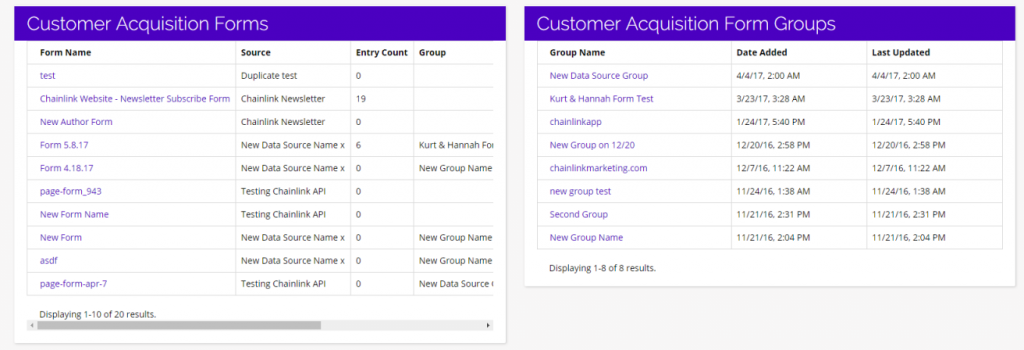
- Customer Acquisition Forms and Forms Groups gives you an overview of all of the Forms and Form Groups you’ve created.
- To view or edit a specific Acquisition Form, click on the name of the form and you will be brought to the Lead Capture Forms page where you can customize that Form.
- To view or edit a specific Form Group, click on the name of the Form Group and you will be brought to a page where you can change the details of the Form Group.
- View the Forms Knowledge Base for an in-depth look at how to create Customer Acquisition Forms and From Groups from scratch.
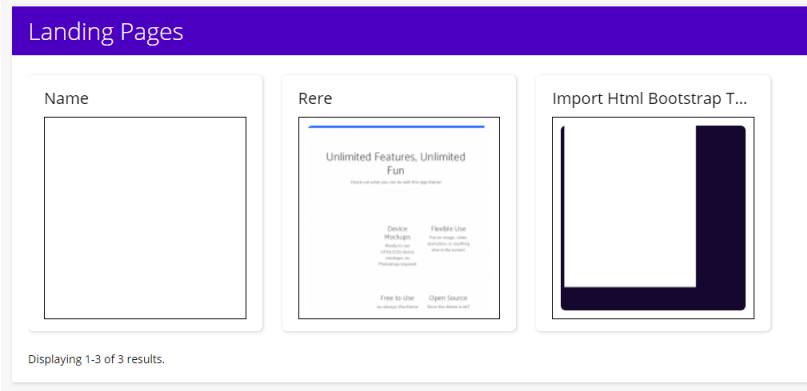
2. Landing Pages
- Landing Pages are a great way to attract new leads and create enticing offers.
- The Landing Pages section gives you an overview of the Landing Pages that you have created in your Chainlink Marketing Platform Account.
- To view or edit a specific Landing Page, simply click on the page you want to view/edit.
- View the Landing Pages Knowledge Base for more information on how to create Landing Pages from scratch or using one of the many free templates provided by Chainlink.
3. Call to Action
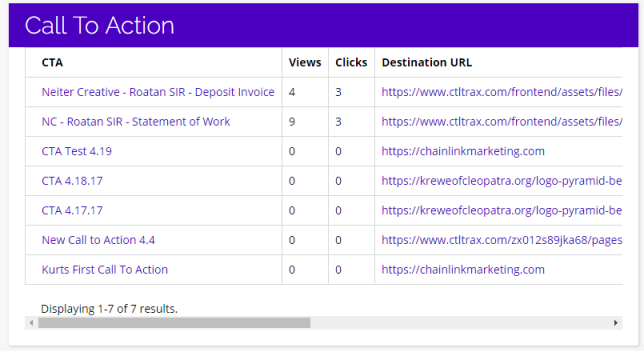
- Calls to Action are usually buttons or links that you can use in your marketing efforts to drive prospective customers to become leads by filling out a form on a landing page.
- The Call to Action section gives you an overview of all of the CTAs you have created in the Chainlink Marketing Platform.
- To view a CTA in action, click on the Destination URL, and you will be brought to the web page where that CTA lives.
- View the Call To Action Knowledge Base for a closer look at how to create effective CTAs.
4. Messaging Programs
- Email Broadcasts are great for sending out company or product offers, providing one-time or limited offers, and much more.
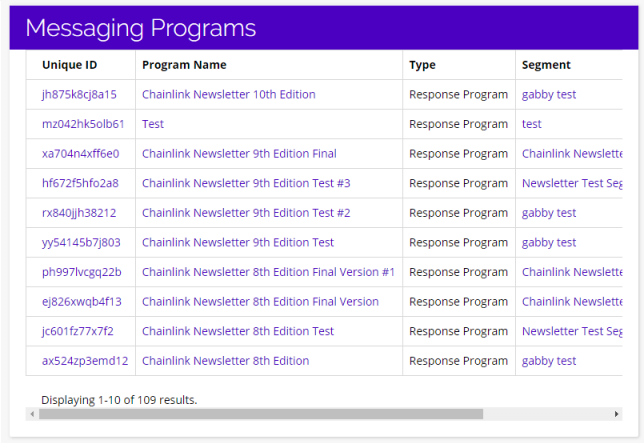
- The Messaging Programs section is an overview of all of the recent Email Programs you’ve created.
- To view/edit a specific Email Program, click on the Unique ID or Program Name and you will be redirected to the Broadcast Program Index.
- Click on the segment name to view/edit the information for the segment used in that Messaging Program.
- View the Email Broadcast Knowledge Base for more details on Email Broadcasts and messaging programs.
5. Your Emails
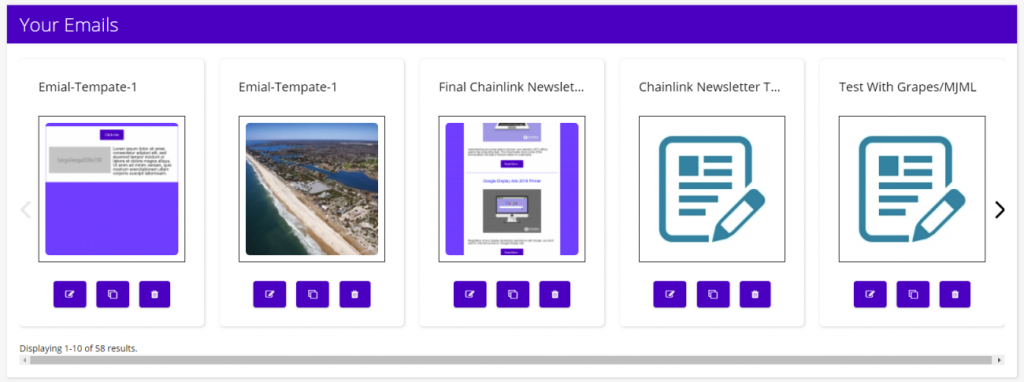
- Your Emails is an overview of the Email Templates you have saved in your Chainlink Marketing Platform account.
- To Edit a template, click on the pencil/paper icon on the bottom left of the template you want to use and you will be brought to the email editor where you can update the template.
- To Copy a template, click the middle duplicate icon under the template you want to use.
- To Delete a template click on the trash can icon on the bottom right of the template you want to get rid of.
- View the Your Emails Knowledge Base for more information on how to customize Email Templates.
6. Your Pages
- Your Pages is an overview of the Landing Page Templates you have saved in your account.
- To Edit a template, click on the pencil/paper icon on the bottom left of the template you want to use and you will be brought to the page editor where you can update the Landing Page Template.
- To Copy a template, click on the middle duplicate icon under the template you want to use.
- To Delete a template click on the trash can icon on the bottom right of the template you want to get rid of.
- View the Your Pages Knowledge Base for an in-depth look at how to create custom Landing Page Templates.