The Integrations page is where the Main Account user will have access to your account’s Integrations where you can enable/disable and edit the information for any of the email checker integrations. The three standard integrations that come with Chainlink’s Marketing Platform are: Bulk Email Checker, Email List Verify, and Kickbox. All three of these integrations are email verification services that will help detect bad email addresses, ensure low bounce rates, and separate the low-quality addresses from your high-value Targets. Only one of the email checker integrations needs to be activated to verify email addresses.
Note: Only the Main Account User will have access to this Integrations page for security purposes.
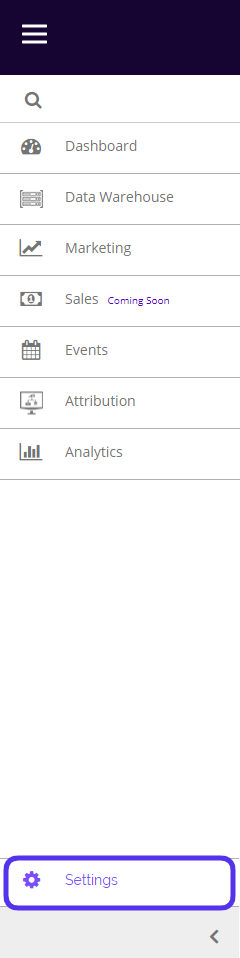
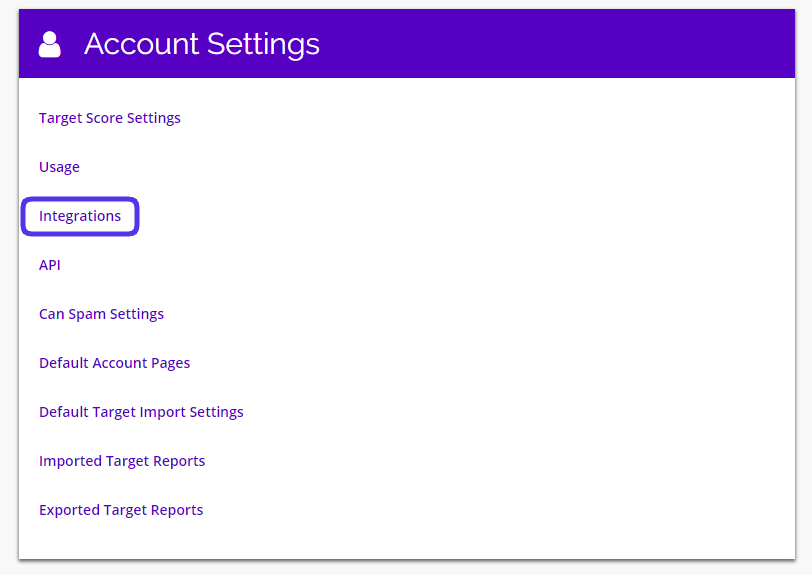
To access your platform Integrations, navigate to Settings > Account Settings > Integrations.
This is what the Integrations page looks like:
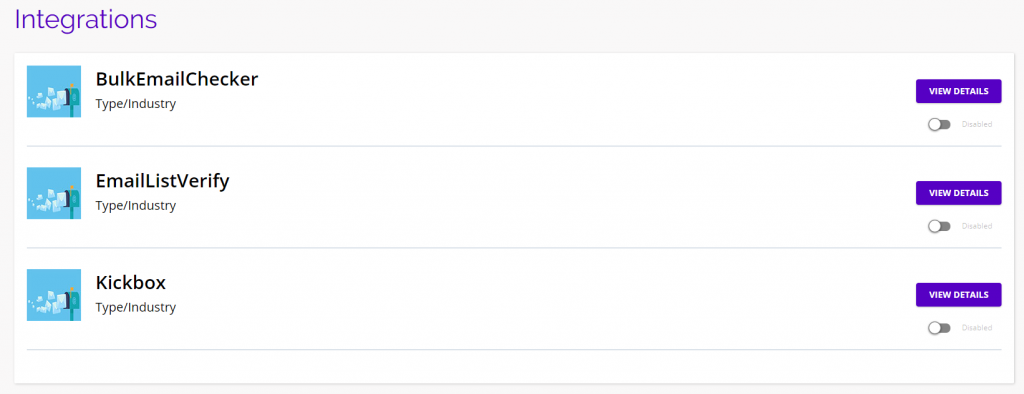
- Click on any of the View Details buttons to view/edit any of the integration information.
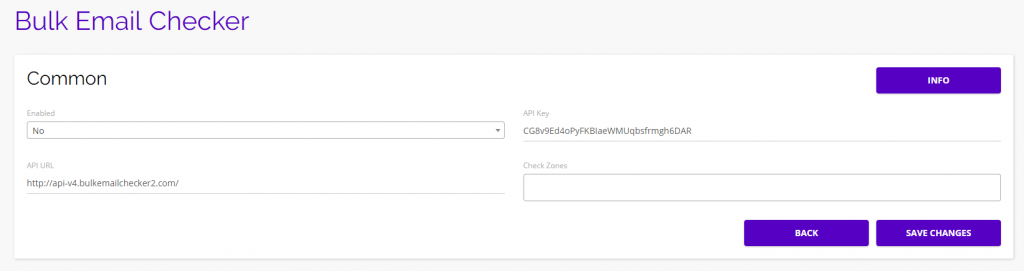
- From here you can enable the integration, view the API Key/API URL, and select when you want the integration to activate:
- Program Sending
- Data Source Import
- Data Source Subscribe
- Data Source Export
- Transactional Email Sending
- Note: There must be an API Key present in order to use one of the integrations.
- Note: You only need to activate one of the integration per each platform action listed above.
Bulk Email Checker
- The Bulk Email Checker is an email validation service that can determine if an email address is real or fake.
- From this page, you can enable the service, insert your details, then decide when exactly you want to run the email validation.
Email List Verify
- Email List Verify is a validation service that helps reach inboxes with bounce free, spam free email lists.
- From this page, you can enable to service, insert your details, then decide when exactly you want to run the email validation.
Kickbox
- Kickbox is an email validation service that ensures you only send emails to real users and helps you separate low-quality email addresses from high-value Targets.
- From this page, you can enable to service, insert your details, then decide when exactly you want to run the email validation.