What is Can-Spam?
The CAN-SPAM Act of 2003 was in direct response to the growing number of complaints about spam emails. Although the can spam laws do not prohibit marketers from sending emails to people before getting permission, it does require marketers to include functional unsubscribe links, accurate company information, and more.
Chainlink Can-Spam Settings
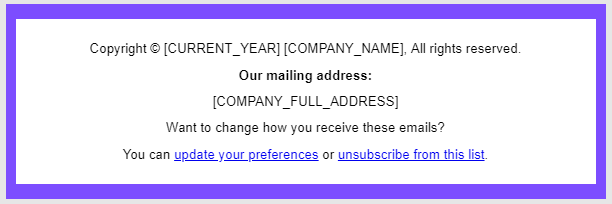
To comply with the CAN-SPAM Act of 2003, all emails sent through Chainlink’s Marketing Platform must contain an operable unsubscribe mechanism, a legitimate physical address of the email publisher, and the company name.
By default, in all Chainlink Marketing Platform accounts, the standard footer contains all of these elements. All the sender has to do is drag and drop the footer to the bottom of any emails you are creating. Our standard footer is formatted with all of the required tags and unsubscribe links, but can be further customized within the Drag & Drop editor. If you plan on customizing the footer, be sure that you do not get rid of any required information, or your sending domain could get flagged for spam.
Note: Be sure to check the unsubscribe links in any emails you are creating before sending the final email to your Targets. You can easily do this by clicking Test Template once you have finished designing your email.