API Keys are essentially secret tokens that are used to identify and authenticate actions while keeping identities anonymous. The Chainlink Marketing Platform API Keys allows you to communicate and interact with other entirely different programs, like WordPress, without giving out any personal information.
Note: You can only have 11 API Keys
What is an API Key?
API stands for “application programming interface.” Simply stated, it’s a means for two entirely different programs to talk to one another and pass information between them.
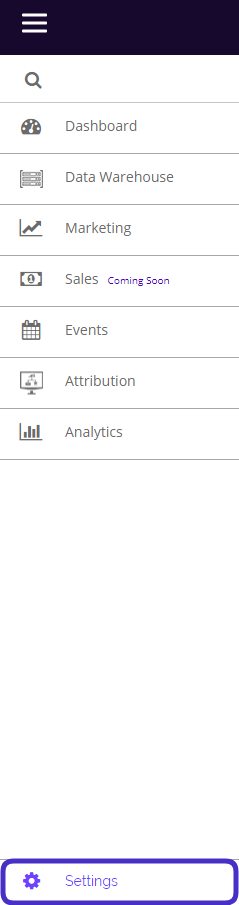
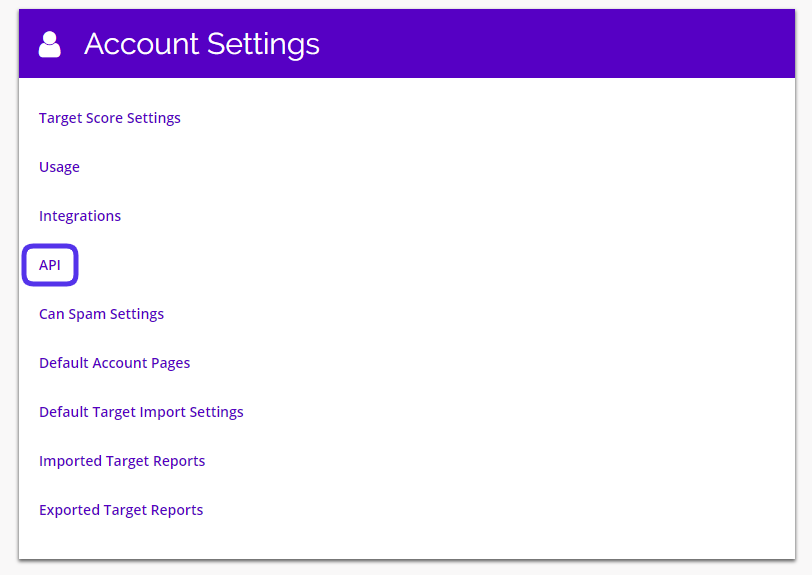
To access API Keys, Navigate to Settings > Account Settings > API.
This is what the API Keys dashboard looks like:
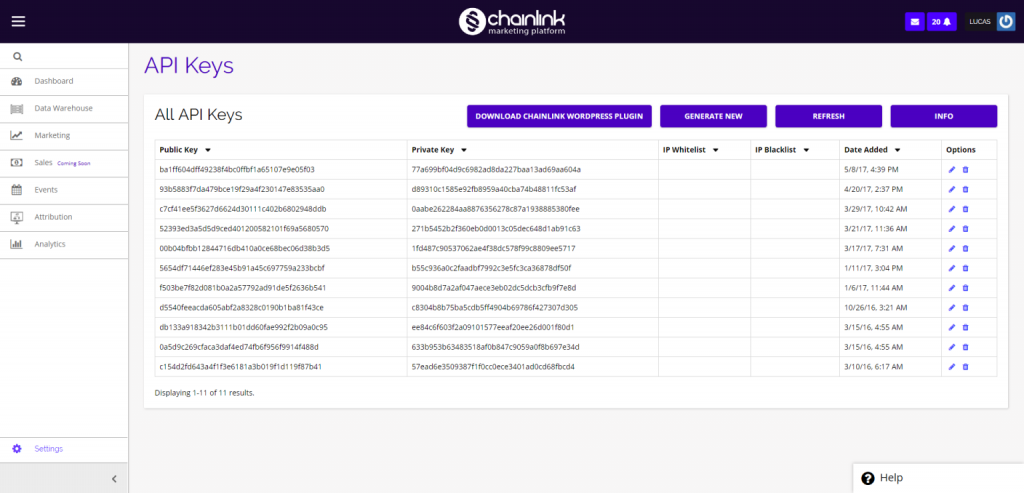
From the dashboard you have a few options. You can download the Chainlink WordPress plugin, generate new API keys, update current API keys, and view your API url.
1. Chainlink WordPress Plugin
- From the API Keys dashboard you can easily download the Chainlink WordPress plugin.
- Simply click the Download Chainlink WordPress Plugin button and a zip file will be downloaded to your computer.
- Inside the file called “chainlinkapi” you will find all of the necessary information/documents to connect the Chainlink Marketing Platform and WordPress.
2. Generate New API Key
- To create a new API Key, click the Generate New button and the platform will automatically generate a unique API Key for your platform account.
- Please Note: You are only allowed to have a maximum of 11 API Keys
3. View Your API URL
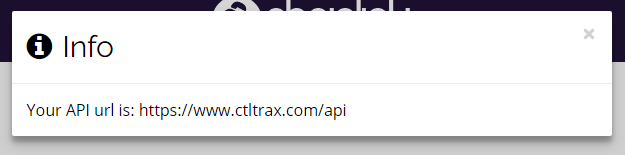
- To view your current API URL, click the Info button in the top right of the page.
- A pop-up will appear with your API url information.