All Mardi Gras Krewes have galas, balls, after parties, and other events throughout the year that can become difficult to keep track of and mange. Chainlink makes it easy to manage all aspects of your Krewe’s events in one place. Member Events is where you will be able to manage all of your Krewe’s year-round events as a parade Lieutenant or Captain.
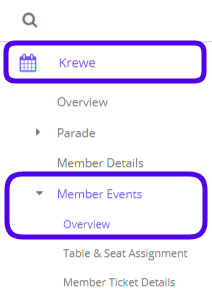
To access your Krewe’s Member Events, navigate to Krewe > Member Events > Overview.
As a Krewe Lieutenant, this is what the Member Events Overview will look like:
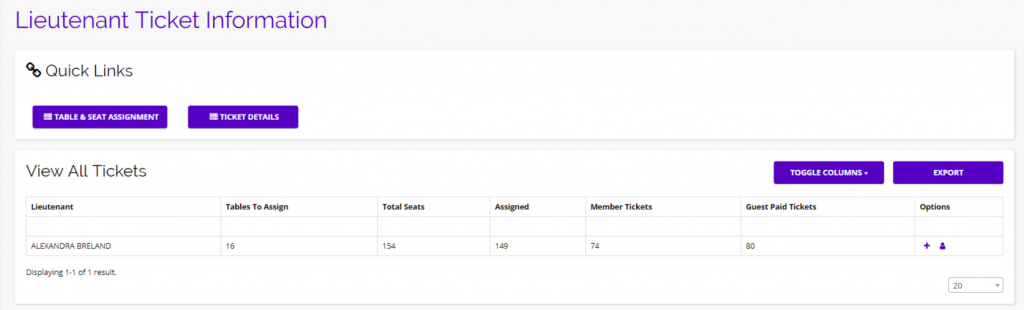
From this overview page, you can quickly navigate to your Table & Seat Assignments, if one of your events has assigned seating, or Member Ticket Details to view all of your members’ ticket information.
Table & Seat Assignment
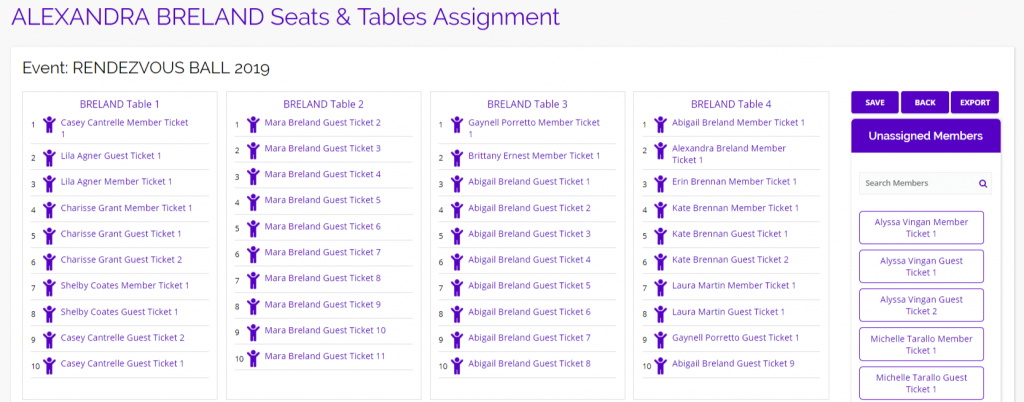
On the Table & Seat Assignment page, you will have the ability to customize your members’ seating arrangements. On the right side of your screen, you will find a list of all of your member’s purchased member and guest tickets. Simply drag a ticket and drop it in an open seat to assign that ticket. If you want to remove an assigned ticket, just click on the member’s name and it will return to the Unassigned list on the right. Once you’ve finished assigning all of your tickets, click Save and your information will be passed along to the Krewe Captain.
Member Ticket Details
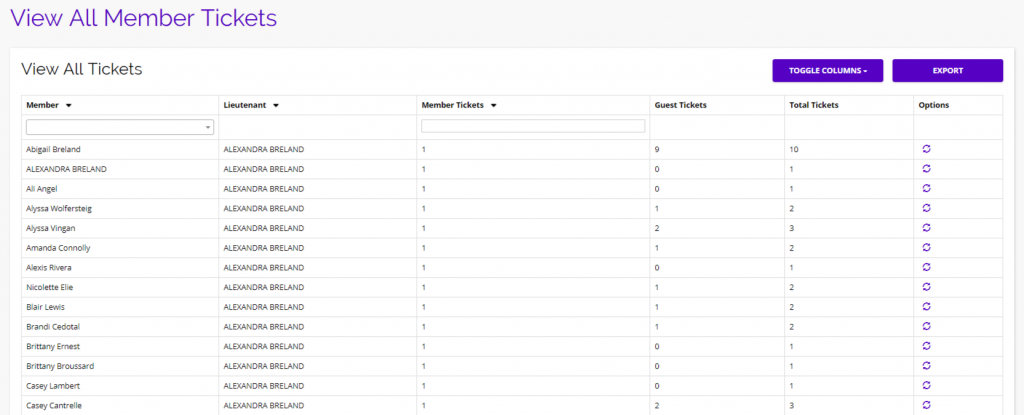
The Member Ticket Details page allows you to see all of your member and guest tickets for any upcoming events your Krewe has planned. This can come in handy if you have any members who are not sure how many tickets they have already purchased, or believe they are missing tickets. You can easily sort the table by member to find exactly how many member/guest tickets every member has, and relay the information back to your members.
Ticket Links
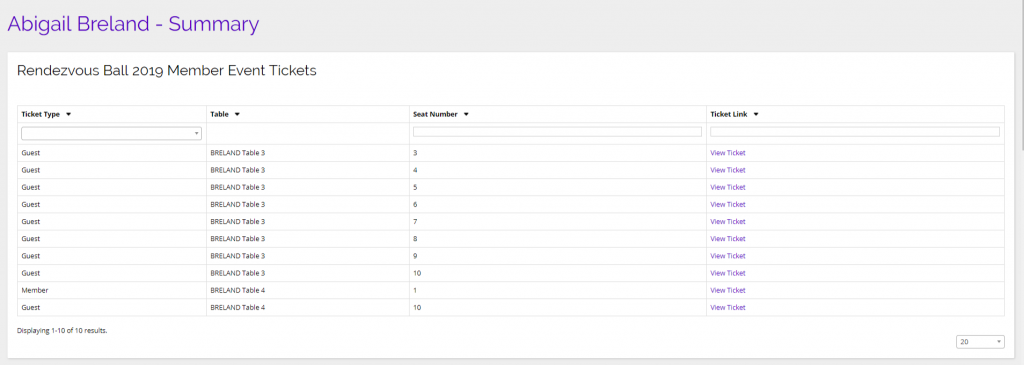
To find the actual ticket links for your members, you will have to navigate to the Member Details page from the main nav menu on the left (Krewe > Member Events > Member Ticket Details). From this page, you can click on the View Ticket link under the options column for any member to see their Krewe Summary Page. At the top of every members’ Krewe Summary page is where you’ll find links to view all of that members’ tickets.